
In today’s digital learning and office environments, choosing the right interactive display has never been more important. Qtenboard offers a wide range of advanced interactive display solutions, with 65-inch and 86-inch models being particularly popular. Schools, training centers, and businesses often ask: which size best fits our space? Which display provides the optimal interactive experience? This interactive display size guide covers all details, real-world examples, and practical scenarios to help you choose between 65 vs 86 inch smart board for your classroom or meeting room.
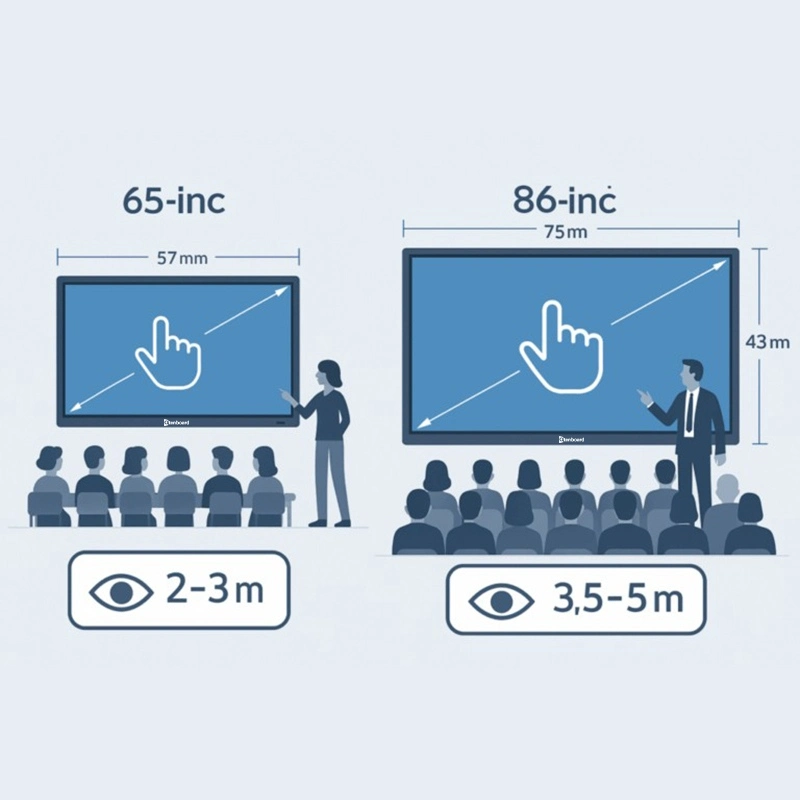
Ideal untuk kelas kecil hingga sedang, kantor, ruang latihan, atau ruang rapat. Desain yang ringkas menghemat ruang dan membuat instalasi dan mobilitas lebih mudah. Untuk pengajaran kelompok kecil, diskusi tim, atau interaksi jarak dekat, layar 65 inci memungkinkan setiap peserta untuk secara jelas melihat konten dan berinteraksi secara langsung melalui sentuh, memaksimalkan keterlibatan dan Interaktivitas.
Better suited for large classrooms, training halls, or executive boardrooms. Its expansive screen ensures clear visibility even for back-row participants, with huge annotation space and multi-touch areas. Presenters can display complex charts, videos, and real-time data, while groups work together with seamless collaboration.
For the best visual experience and clarity, matching screen size with viewing distance is critical. This simple classroom display size calculator helps you decide quickly:
| Ukuran Layar | Recommended Viewing Distance | TERBAIK UNTUK |
|---|---|---|
| 65 inci | 2–5 meters | Small meeting rooms, small classrooms (15–25 students) |
| 86 inci | 5–10 meters | Large lecture halls, big meeting rooms, auditoriums |
| Skenario | Layar interaktif Qtenboard 65 inci | Layar interaktif Qtenboard 86 inci | Rekomendasi Qtenboard |
|---|---|---|---|
| Ruang kelas | Small to medium classroom (15-25 students). Clear visuals for close-range viewing, cost-effective ideal for schools. | Large classroom or lecture hall (30+ students). Excellent visibility for the back rows, more space for interactive learning. | Choose based on class size and seating layout. Use our interactive display size guide for best match. |
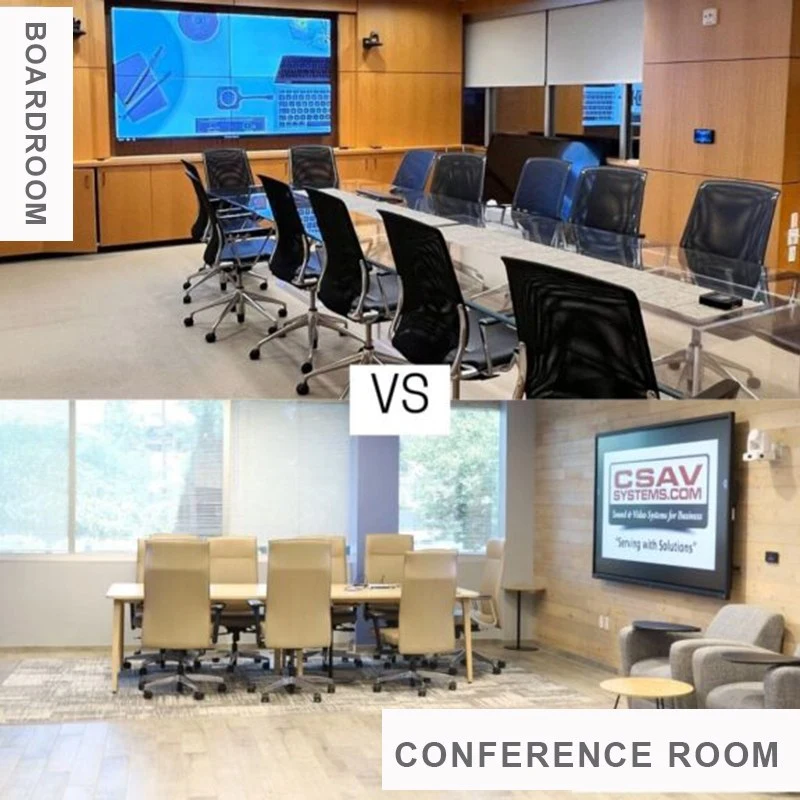
| Ruang Pertemuan | Small meeting room (up to 6-8 people). Mobile stand supported, easy to install and move. | Large boardroom (10+ people). Supports split-screen multitasking and multi-user collaboration. | Small teams: 65-inch. Large corporate & executive spaces: 86-inch. |
Cost-effective wholesale price structure, perfect for small businesses, schools, and training centers with tight project budget. Delivers core interactive functions at lower investment, ideal for small meeting spaces and standard classrooms.
While the 86-inch interactive flat panel price is higher, its ROI in large auditoriums and big venues justifies the investment through better engagement, split-screen multitasking, and multi-user collaboration. It delivers stronger visual impact and long-term value for large-scale usage.
In short, 65-inch displays provide reliable performance at a lower cost for small groups. 86-inch models bring superior functionality, multi-user collaboration, and professional presentation effects for large audiences and high-intensity usage.
Ringan dan mudah dipasang, baik dipasang di dinding atau di dudukan ponsel. Sempurna untuk ruang Multifungsi. Guru atau tim dapat dengan cepat memindahkan displai, mengubah kelas, kantor, atau ruang latihan ke ruang interaktif dalam beberapa menit.
Larger and heavier, requiring professional installation and wall reinforcement. Ideal for fixed large venues. Although less mobile, it supports split-screen multitasking and multi-user writing, which small screens cannot match.
Creates an intimate environment, perfect for small classrooms, team meetings, or training sessions. Supports close-range interaction and smooth touch control for small-group collaboration.
Built for large venues with split-screen multitasking and multi-user collaboration. Multiple people can write, draw, and annotate at the same time. Even back-row attendees see content clearly, keeping engagement high.
In corporate settings, small teams can use 65-inch displays for brainstorming. 86-inch interactive whiteboards excel in executive meetings with wireless casting, real-time annotation, and professional collaboration tools.
Every space and team has unique requirements. Qtenboard offers full customized interactive display solutions based on your room size, audience, usage scenarios, and project budget.
Our professional team helps you choose between 65-inch and 86-inch models with detailed interactive display size guide, including viewing distance, installation position, stand options, and software configuration. We provide full-cycle technical support to maximize your ROI.
Choosing Qtenboard means a reliable, cost-effective, and highly interactive digital solution tailored for education and business. We help you make the best investment for long-term usage.
Choosing between 65-inch or 86-inch Qtenboard interactive display depends on room size, viewing distance, audience, and project budget. For small spaces and tight budgets, 65-inch offers great value. For large lecture halls and boardrooms needing split-screen multitasking and multi-user collaboration, 86-inch delivers superior performance and higher long-term ROI.
All Qtenboard interactive displays feature 4K resolution, smooth touch, real-time annotation, and full connectivity. As a trusted provider of interactive display size guide and professional solutions, we help you build efficient, engaging, and future-proof digital spaces.
Klik untuk membaca rincian produk dan mempelajari tentang fitur fungsional dan kinerja fisiknya.
📖Baca produk
 ID
ID
 EN
EN  MAY
MAY  TH
TH  CHT
CHT  BUR
BUR  FIL
FIL  HKM
HKM  LAO
LAO  SIN
SIN  VIE
VIE