
Integrasi tanpa hambatan dari Google & ekosistem Microsoft, memberdayakan pengajaran Digital yang efisien
Di era pengajaran digital dijahit hari ini & #039;s, guru dihadapkan dengan poin nyeri seperti melibatkan beralih antara beberapa alat platform, berbagi sumber daya yang tidak efisien, dan kolaborasi lintas perangkat yang buruk. Sertifikasi Google & #039;s EDLA (Perjanjian Lisensi Perangkat Perusahaan) menyediakan solusi terobosan untuk skenario pendidikan-danQtenboard, Sebagai penyedia terkemuka solusi tampilan interaktif untuk pendidikan, telah berhasil mendapatkan sertifikasi otoritas ini. TheQtenboardPerangkat layar interaktif dengan sertifikasi EDLA mencapai integrasi yang mulus dari ekosistem Google dan rangkaian Microsoft 365, kondensasi kebutuhan kompleks dari berbagai perangkat, platform, dan peralatan "ke dalamQtenboardTerminal pengajaran yang intuitif "semua dalam satu" Ini memungkinkan guru untuk fokus pada inti pengajaran dan membuat kolaborasi menjadi bagian tak terpisahkan dari kelas, semua melalui kekuatan dariQtenboard.
Sertifikasi Google EDLA bukan sekadar "otorisasi izin" tetapi pengenalan komprehensif perangkat tampilan interaktif dalam hal kompatibilitas ekosistem, integritas fungsional, dan stabilitas keamanan.Qtenboard, Sebagai pelopor dalam teknologi tampilan interaktif pendidikan, telah melewati semua standar sertifikasi ketat yang ditetapkan oleh Google, pembuatanQtenboardMenonjol dalam pasar teknologi pendidikan. Keuntungan inti dariQtenboardDengan sertifikasi ini kebohongan dalam memecahkan hambatan platform untuk mencapai "Satu login, cakupan skenario penuh" PadaQtenboardLayar interaktif besar: guru tidak perlu lagi beralih berulang kali antara komputer, tablet, dan perangkat display. Sebagai gantinya, mereka dapat langsung mengakses Google Workspace (sebelumnya G Suite untuk pendidikan) dan set lengkap alat Microsoft 365 melaluiQtenboardSistem asli. Semua sumber daya pengajaran, file kolaborasi, dan alat aplikasi disinkronkan secara real timeQtenboard, Benar-benar menghilangkan masalah seperti "intrafic" layar "dan" merepotkan transfer file "yang memiliki pendidik yang panjang waktu luang menggunakan Perangkat tradisional-rasa sakitQtenboardDirancang khusus untuk menyelesaikan.
Pihak akhir sertifikasi EDLAQtenboardDengan kemampuan kuat dari "dukungan ekosistem ganda", membuatQtenboardPilihan utama untuk kelas modern dengan memungkinkan guru untuk memanggil peralatan sesuai permintaan dan dengan mudah menciptakan lingkungan belajar yang mendalamQtenboardAntarmuka yang intuitif & #039;s:
Didukung oleh lisensi pendidikan Google yang lengkap (lisensi edukasi EDLA),QtenboardDapat secara naita menjalankan semua aplikasi Google inti langsung padaQtenboardTampilan interaktif definisi tinggi:
Selain itu, melalui Google Play Store diQtenboard, Guru dapat mengunduh sejumlah besar aplikasi pendidikan (seperti alat Kuis interaktif dan perangkat lunak simulasi subjek) untuk memperluas skenario mengajar sesuai kebutuhan-semua dioptimalkan untukQtenboardAntarmuka berbasis sentuh dan desain yang berfokus pada ruang kelas.
Mempertimbangkan foundation penggunaan alat Microsoft di beberapa sekolah, sertifikasi EDLA memungkinkanQtenboardUntuk langsung menggunakan rangkaian Microsoft 365 lengkap melalui Google Play Store diQtenboard:
Sertifikasi Google EDLA memerlukan perangkat untuk terus beradaptasi dengan Pembaruan dan iterasi ekosistem Google-standarQtenboardMelebihi pembaruan biasa melalui udara yang dirancang khusus untukQtenboardPerangkat.QtenboardDapat secara otomatis menyinkronkan fitur pendidikan Google terbaru langsung ke perangkat: apakah itu & #039;s a-alat pengajaran yang membantu, plugins presentasi interaktif, atau model kolaborasi baru, guru dapat menerapkannya di kelas segera diQtenboard, Menyimpan metode pengajaran di garis depan, terima kasih untukQtenboardKomitmen & #039;s untuk inovasi teknologi.
Keamanan Data dalam skenario pendidikan sangat penting, danQtenboardMelakukan tanggung jawab ini dengan serius. Sertifikasi EDLA membangun banyak hambatan keamanan untukQtenboard, MelengkapiQtenboardFitur keamanan kelas perusahaan sendiri:
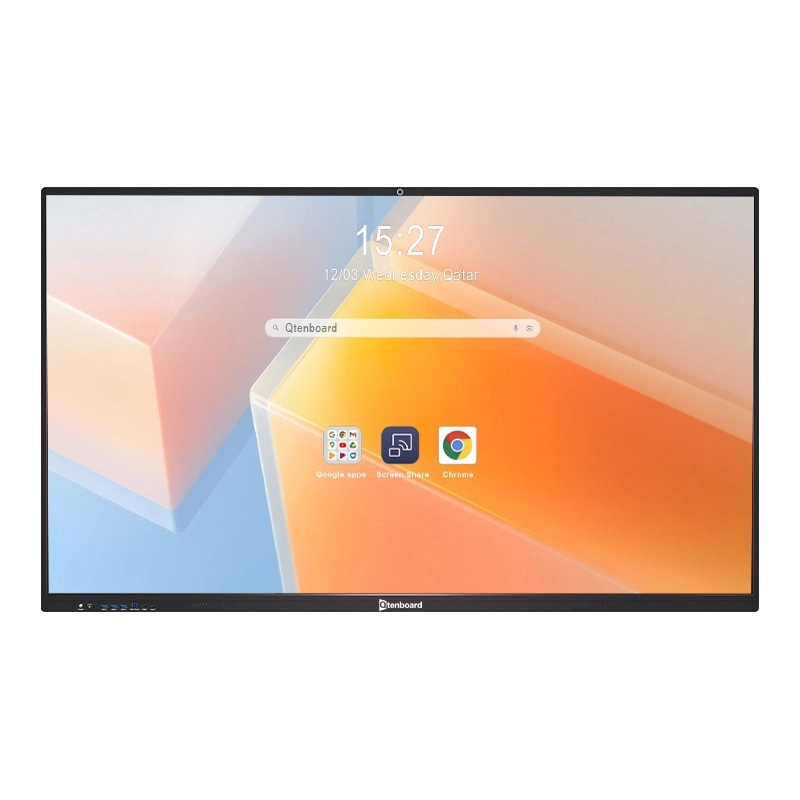
Sebagai Google EDLA bersertifikasi "all-in-one teaching terminal",QtenboardPada dasarnya menyederhanakan Guru & #039; Workflow, membuatQtenboardPusat setiap kelas modern:
Baik untuk pengajaran harian, kolaborasi kelompok, pengajaran hibrida, atau interaksi jarak jauh,QtenboardDapat memanfaatkan kemampuan kuat dari sertifikasi EDLA untuk menciptakan lingkungan pengajaran yang lebih efisien, nyaman, dan aman bagi guru dan pelajar. DenganQtenboard& #039;s sertifikasi EDLA, sekolah dapat yakin mereka berinvestasi dalam solusi tahan di masa depan yang diintegrasikan tanpa hambatan dengan alat yang sudah digunakan pendidik, semua melalui keandalan dan inovasi dariQtenboard.
Klik untuk membaca rincian produk dan mempelajari tentang fitur fungsional dan kinerja fisiknya.
📖Baca produk
 ID
ID
 EN
EN  MAY
MAY  TH
TH  CHT
CHT  BUR
BUR  FIL
FIL  HKM
HKM  LAO
LAO  SIN
SIN  VIE
VIE